How to edit your recipient information?
Steps to edit recipient information:
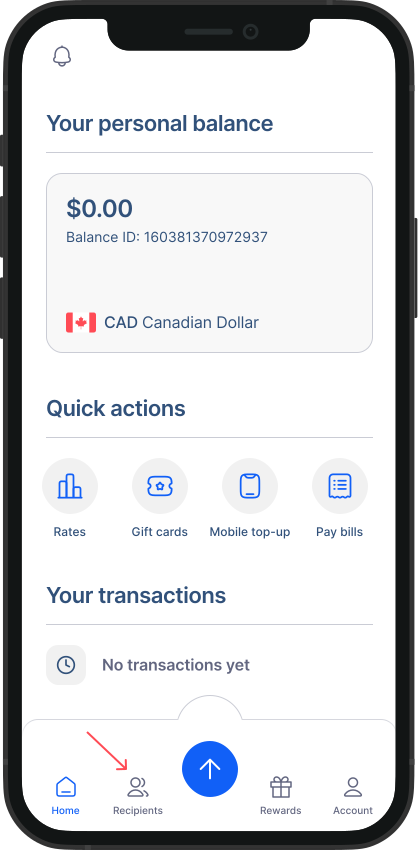
- Go recipient page: From the navigation menu on your home screen, go the "Recipient Section".
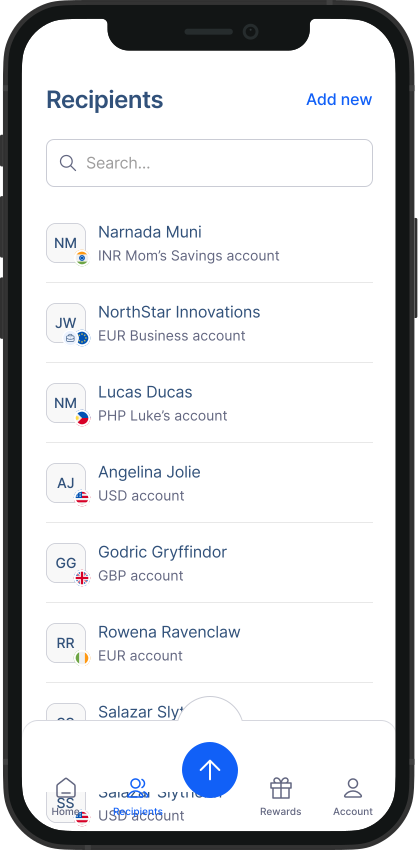
- Choose a recipient: Select the recipient whose details you want to update.
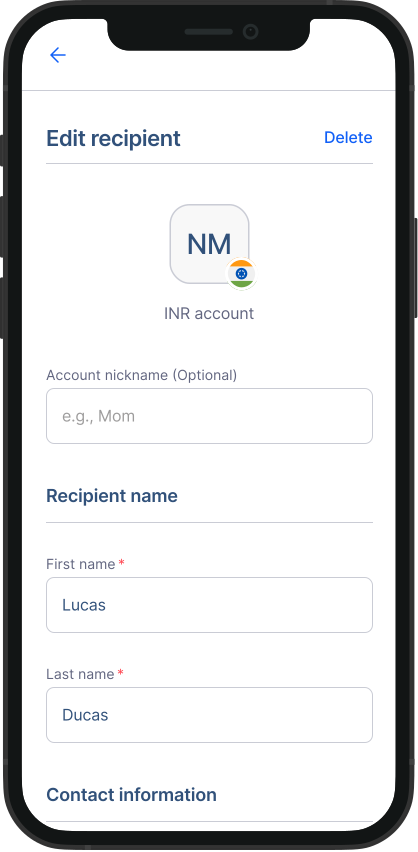
- Edit details: You'll see the recipient's current information. Here, you can change their personal details and add new receiving methods. Please note that you can have a maximum of 3 receiving methods per recipient.
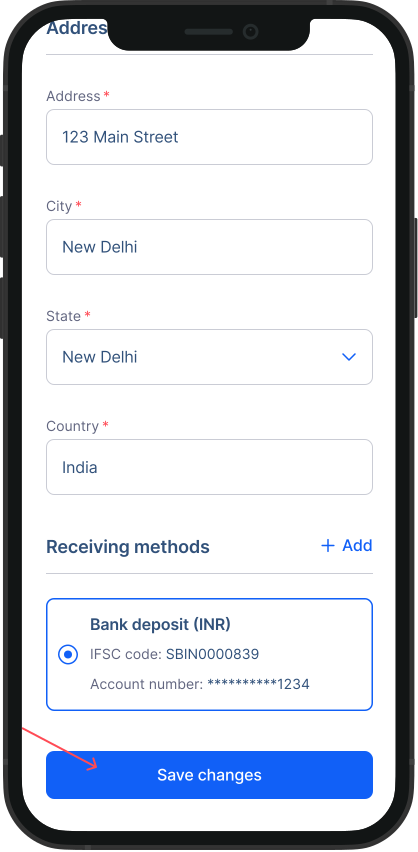
- Save changes: After making the necessary edits, scroll down and hit "Save changes".
Please note
Editing the recipient information after you complete a transaction will not change the details for the completed transaction. If you have already initiated a transaction, please contact us to change the details. If you wish to delete a recipient, click on “Delete” button.
Was this article helpful?