How to add the recipients?
Adding a new recipient to your RemitBee account is straightforward and can be done in a couple of ways. Here’s a quick guide:
Steps to add a recipient from recipient section:
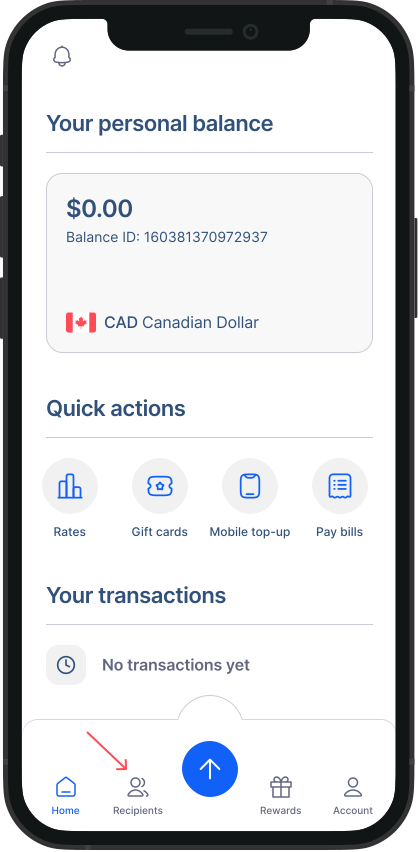
- Go Recipient page: From the navigation menu on your home screen, go the "Recipient Section".
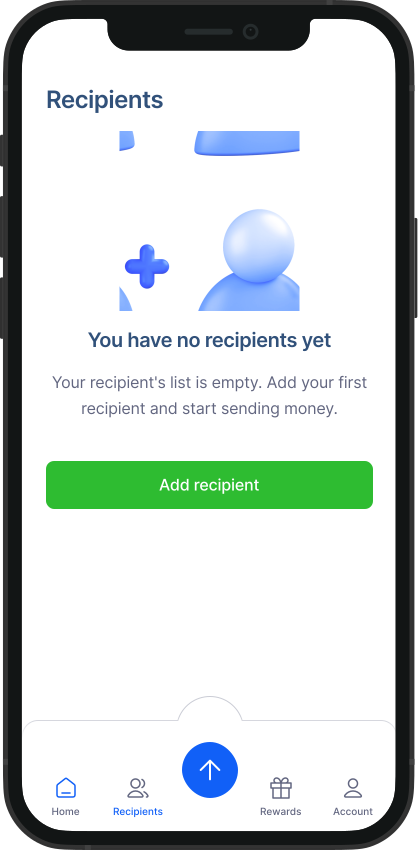
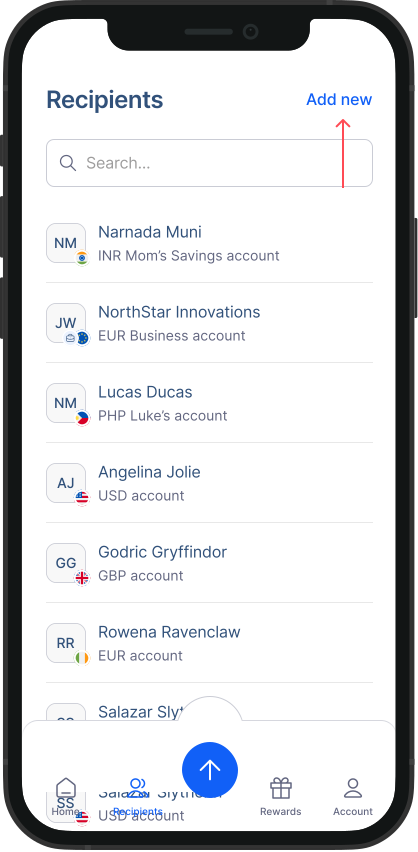
- Add Recipient: Click on “Add” button to add a new recipient. Follow the instruction as prompted on the screen to fill out information for your recipient such as their country, receiving method and their details. Your recipient will be added!
Steps to add a recipient during a transaction:
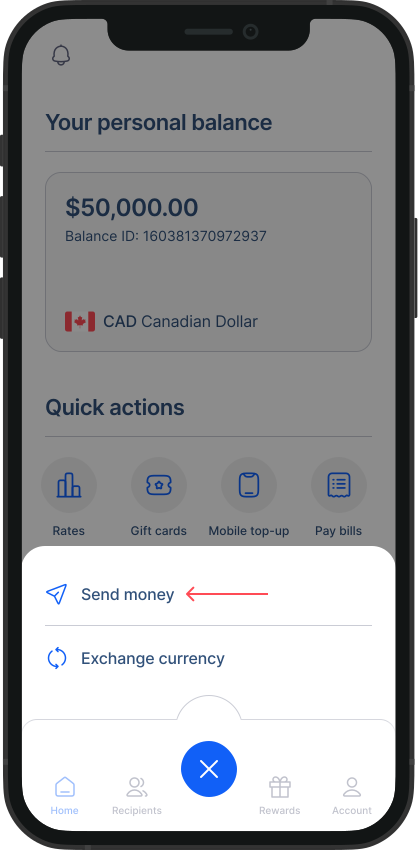
- Start a new transfer: Click on “Send money” from your home screen. This will display a list of your current recipients.
- Add new recipient: Instead of choosing from the list, click on “Add new recipient”.
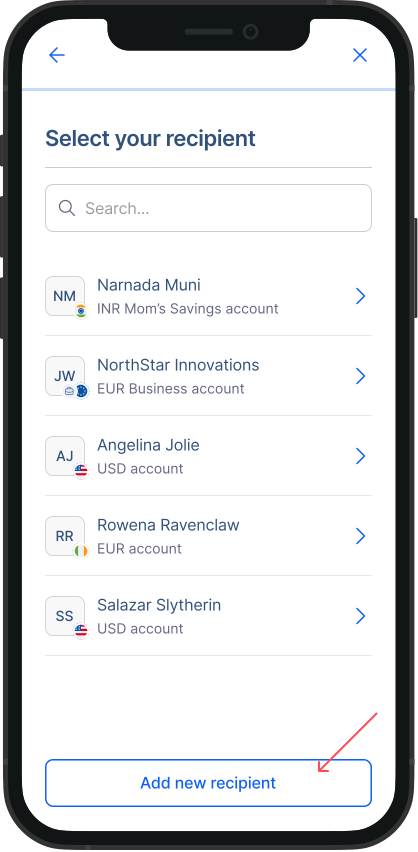
Enter details: Follow the prompts to input your new recipient's information.
Continue transaction: Once you’ve added the new recipient, you can proceed with your transaction just as you planned.
Check out these video tutorials:
Was this article helpful?