How to add new receiving method?
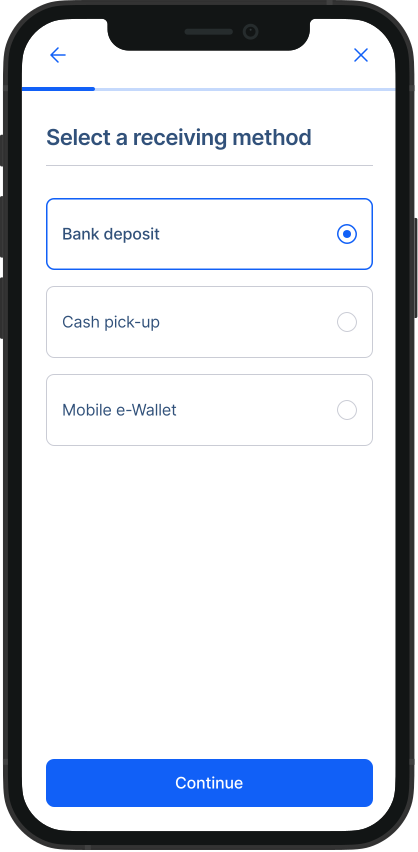
RemitBee offers three main receiving methods for money transfers – Bank deposits (for all the countries), cash pick up and cash delivery are available for some countries or regions.
You can add a receiving method to you recipient from the recipient section, as well as during the transfer process. If you have a few receiving methods for one recipient, you can switch between them during each money transfer. The last used receiving method will be a default one for the next transfer.
Steps to add a new receiving method:
1. Go recipient page: From the navigation menu on your home screen, go the "Recipient Section".
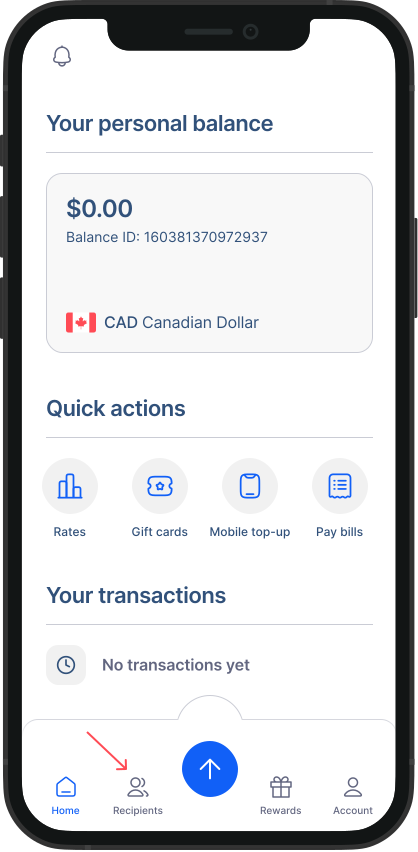
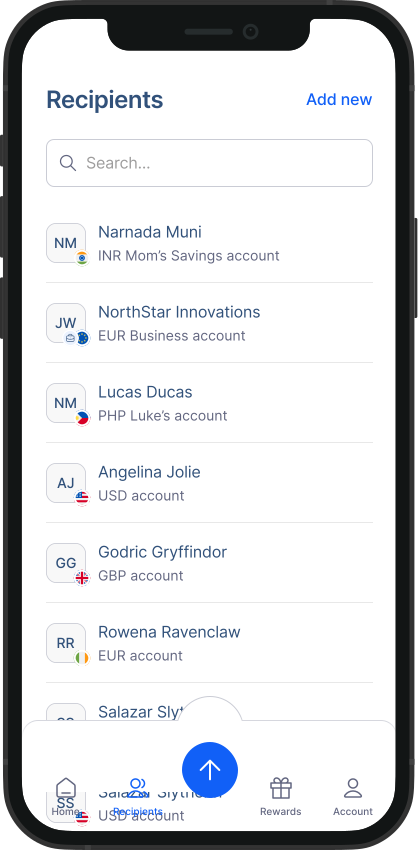
- Choose a recipient: Select the recipient whose details you want to update.
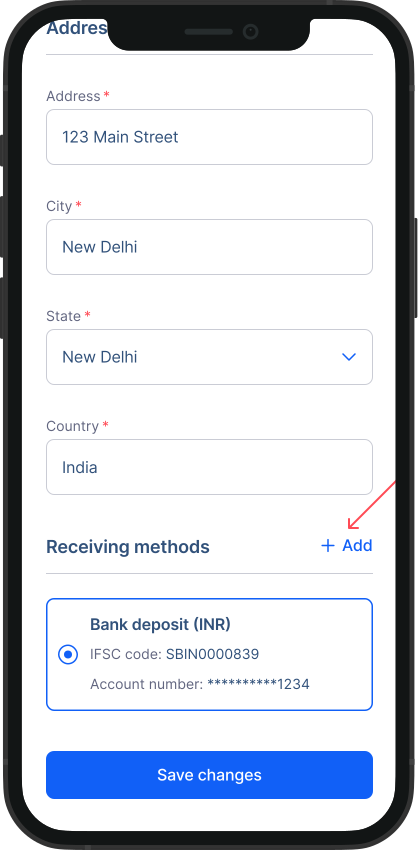
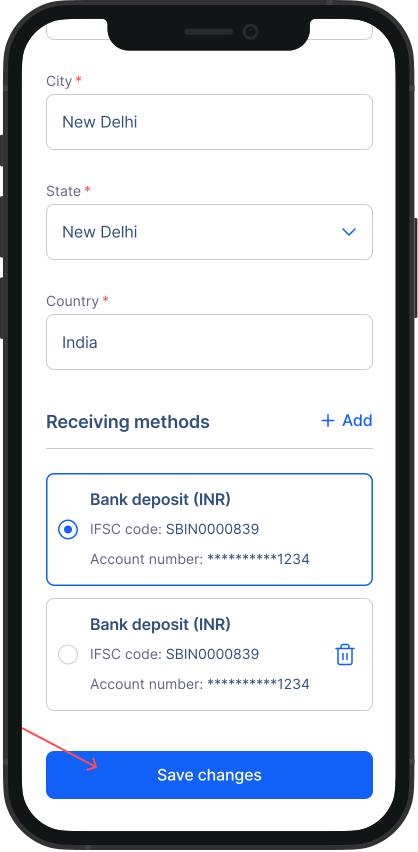
- Edit details: You'll see the recipient's current information. Scroll to the Receiving methods section, here you can manage receiving methods for your recipient. Click on “Add”.
- Add receiving method: Follow the steps on the screen as prompted to add a receiving method.
- Save changes: After making the necessary edits, scroll down and hit "Save changes".
To set up newly added receiving method, read: How to set up favourite (default) receiving method?
Was this article helpful?