My e-transfer wasn’t deposited, what should I do?
If you've sent an e-Transfer to RemitBee and the funds haven't appeared in your account, here are the steps to follow for a quick resolution:
Initial wait time: First, please allow up to 30 minutes for the deposit to process. Note that RemitBee does not automatically pull funds from your account via e-Transfer.
Confirm your e-Transfer: Ensure you have actually sent an e-Transfer. If it appears you haven't, go ahead and initiate a new one.
Bank account deduction: If your account hasn't been debited, it's possible your bank has yet to release the funds, or the e-Transfer wasn't sent at all.
Check the email you sent from is verified: We recognize your e-Transfer by the email you send it from. If you sent from an email that isn't added and verified on your RemitBee account, we can't deposit the money automatically. Add and verify that email, then get in touch so we can release your funds. Add and verify your email.
Double-check the recipient's email: Make sure the funds were sent to the right email address: [email protected] for Personal accounts, or [email protected] for Business accounts. If not, cancel the current transfer and initiate a new one using the correct email.
No Success Yet?: If you've followed the above steps without resolution, it's time to contact us. Please have the following information ready:
- The exact amount, date, and time of your e-Transfer.
The Interac reference number
- this number consists of 8-12 alphanumerical characters starting with CA, C1 or C1A (e.g. C1Ag6uHMJGp).
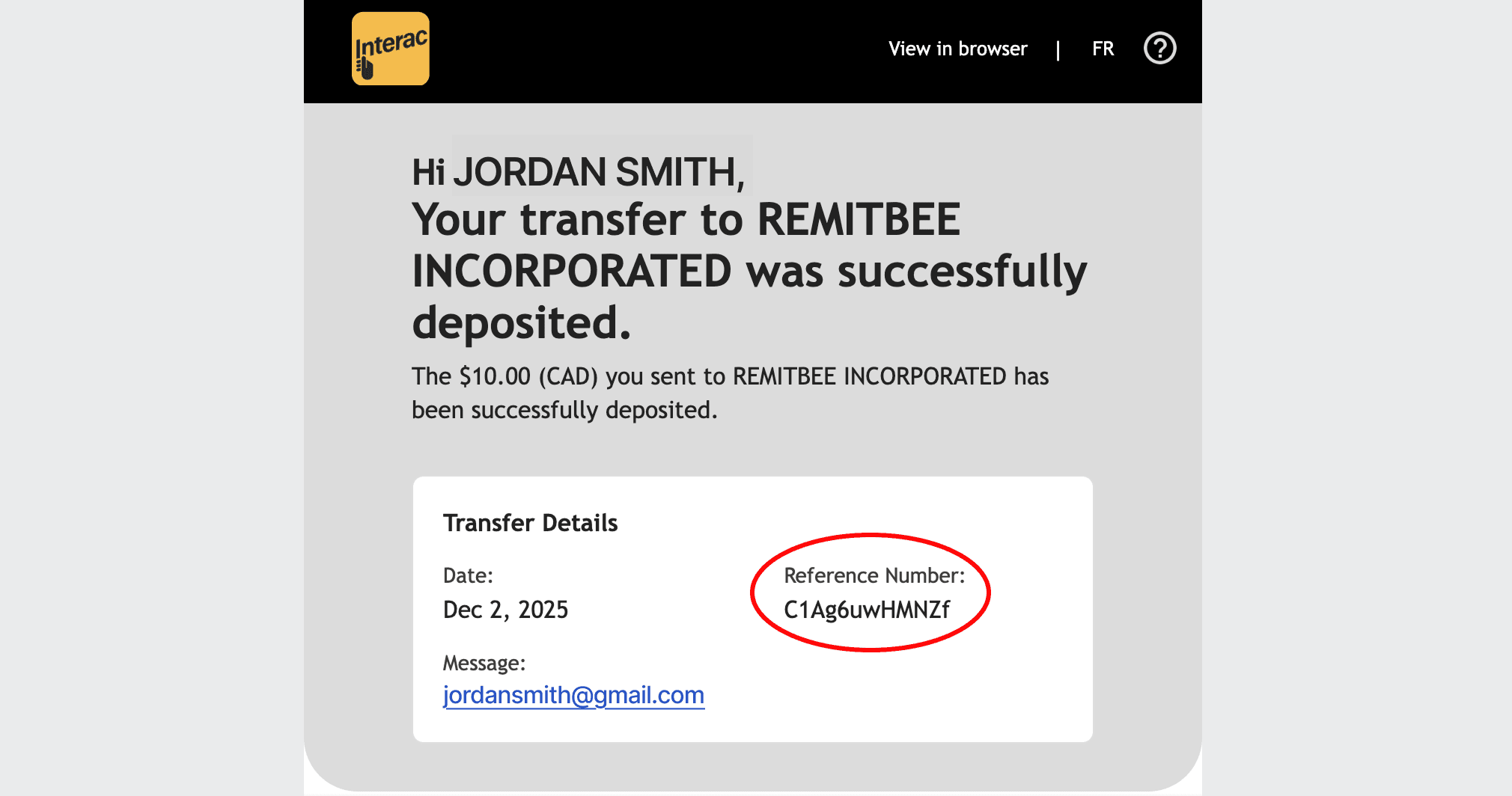
- this number consists of 8-12 alphanumerical characters starting with CA, C1 or C1A (e.g. C1Ag6uHMJGp).
Armed with this information, we'll be able to help you swiftly and get to the bottom of any issues with your transfer.