How to download the transaction receipt ?
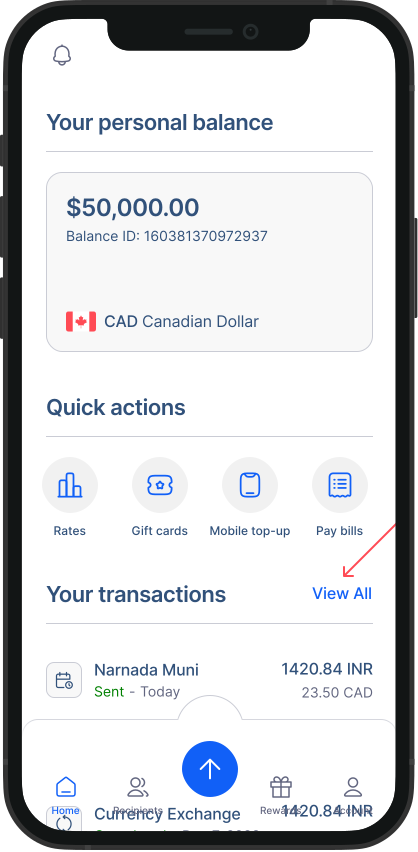
- Go to transaction history: From the home screen, you can see your recent transactions. To access all you older transactions, click on "View all".
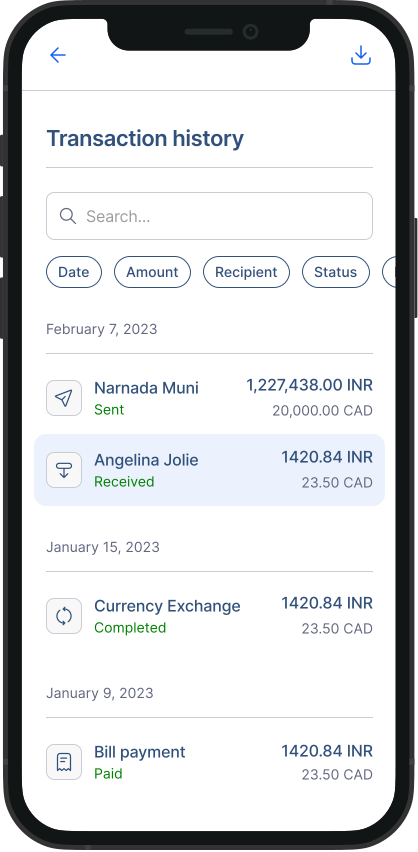
- Find your transaction: In the list, you'll find key information for each transaction, such as the date, amount, and status. You can search for transactions or filter them based on your preferences. When you find the transaction you need, click or tap on it.
- Transaction details: All the details of this transaction should appear. Scroll down, and you should see the “Download receipt” button. Click on it, and the download will start.
Check out these tutorial videos: