My Sending limits & exchange limits
Sending and exchange limits depend upon the level of verification you have completed for your account. Check out your limits based on your verification level. You can also check your account’s available daily and monthly limits.
Follow these simple steps to check your limits:
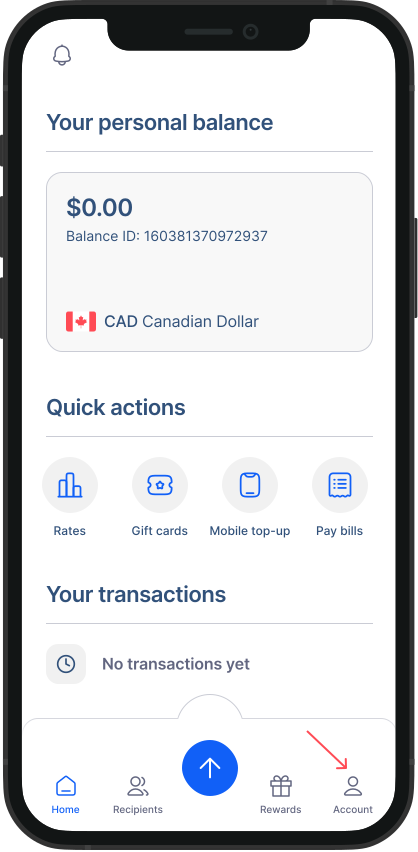
- Go to Account: From your home screen, tap on the account’s button.
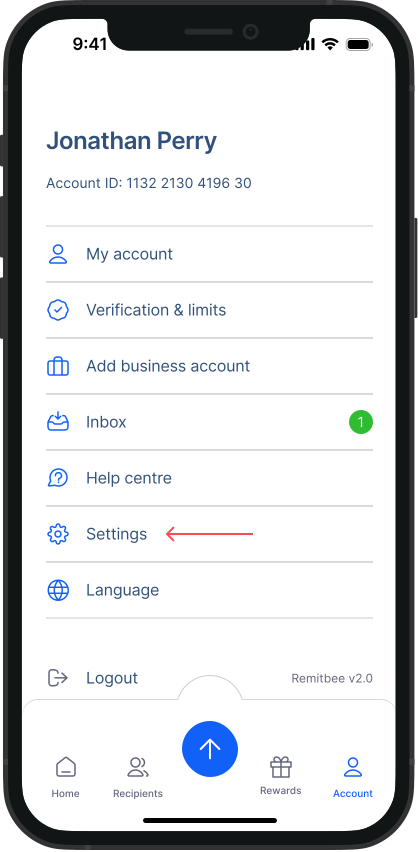
- Go to Settings: From the Account menu, select “Settings”.
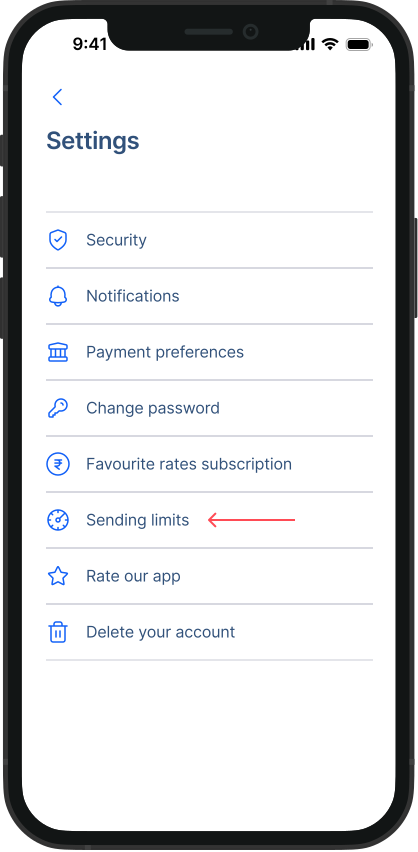
- Go to Sending limits: From the Settings menu, select “Sending limits”.
- Check your limits: From here, you can see your limits according to your verification level. You can also check your daily and monthly available limits for Money transfer and Currency exchange.
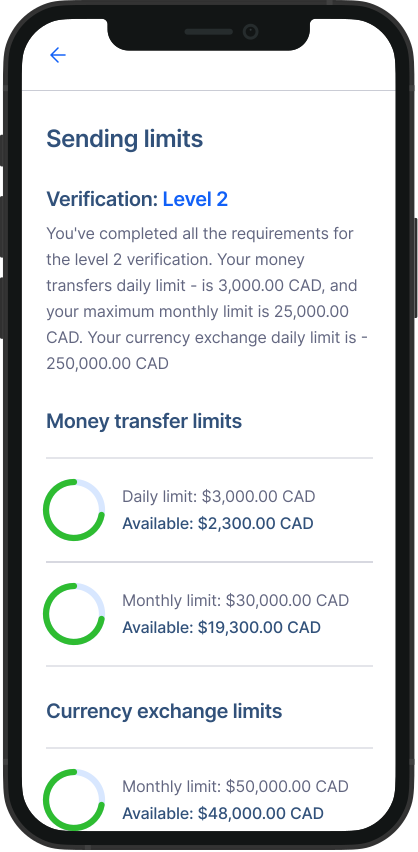
Limits according to different Verification levels:
Level 1Sending limits:
Daily limit: $1,000 CAD
Monthly limit: $3,000 CAD
Exchange limits:
- Daily limit: $9,000.00 CAD
Also read: How to verify level 1
Level 2Sending limits:
Daily limit: $3,000 CAD
Monthly limit: $25,000 CAD
Exchange limits:
- Daily limit: $250,000.00 CAD
Also read: How to verify level 2
Level 3Sending limits:
Daily limit: $9,000 CAD
Monthly limit: $60,000 CAD
Exchange limits:
- Daily limit: $500,000.00 CAD
Also read: How to verify level 3
Level 4 verificationSending limits:
Daily limit: $20,000 CAD
Monthly limit: $200,000 CAD
Exchange limits:
Daily limit: $500,000.00 CAD
Also read: How to verify level 4