WhatsApp Verification for Two-Factor Authentication
Overview
RemitBee now supports WhatsApp delivery for your two-factor authentication (2FA) codes. This option is especially useful when you're traveling abroad or don't have access to SMS on your registered phone number.
When to Use WhatsApp Verification
- You're accessing RemitBee from a different country
- You don't have roaming enabled on your phone
- You can't receive SMS but have internet access for WhatsApp
How to Get Your Code via WhatsApp
For Login
- Enter your credentials on the RemitBee login page
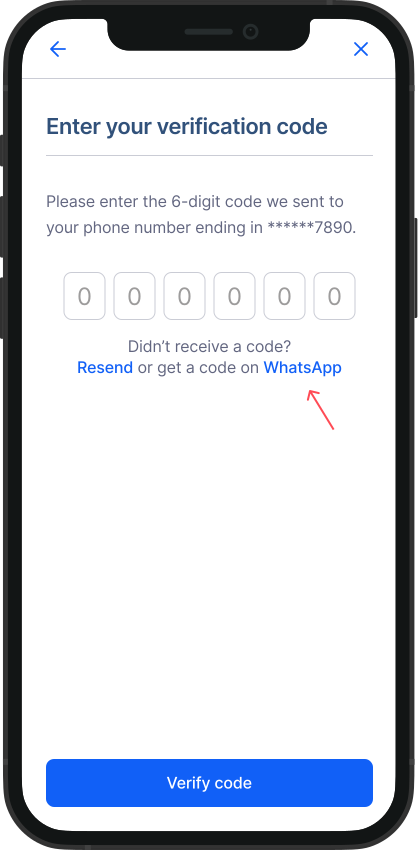
- When prompted for your 2FA code, look for the "Get code via WhatsApp" link below the verification field
- Click the WhatsApp link
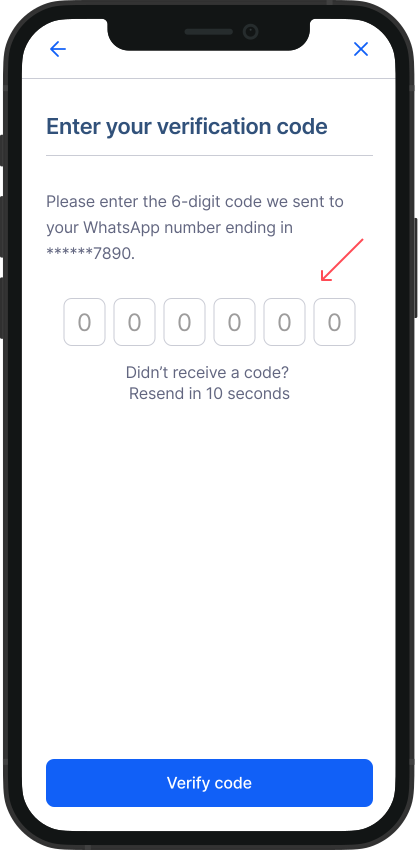
- Open WhatsApp to find your verification code
- Copy the code and enter it on the RemitBee platform
For New Account Creation
- Begin the sign-up process with your phone number
- When prompted for verification, select "Get code via WhatsApp"
- Receive your code through WhatsApp messages
- Enter the code to complete your registration
Requirements
- An active WhatsApp account linked to your RemitBee phone number
- Internet connection for WhatsApp