How to update my card’s information?
Updating your card's information is a simple task. Just follow these straightforward steps:
- Go to Accounts from Home Screen: Tap on "Accounts" to access your account settings.
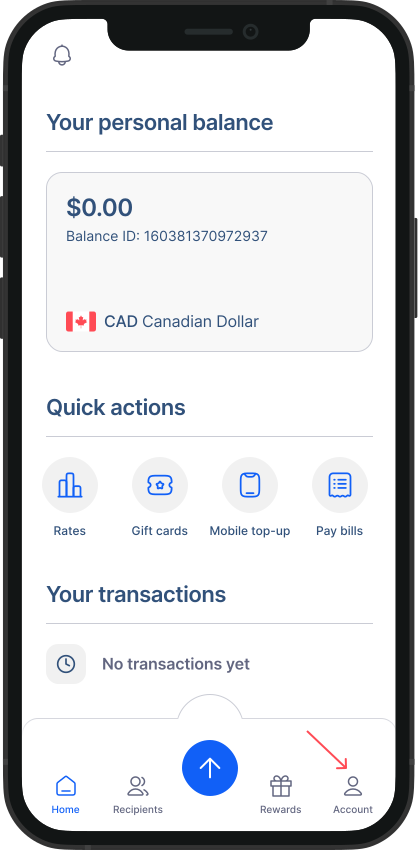
- Go to Settings: Within the Accounts screen, tap on "Settings."
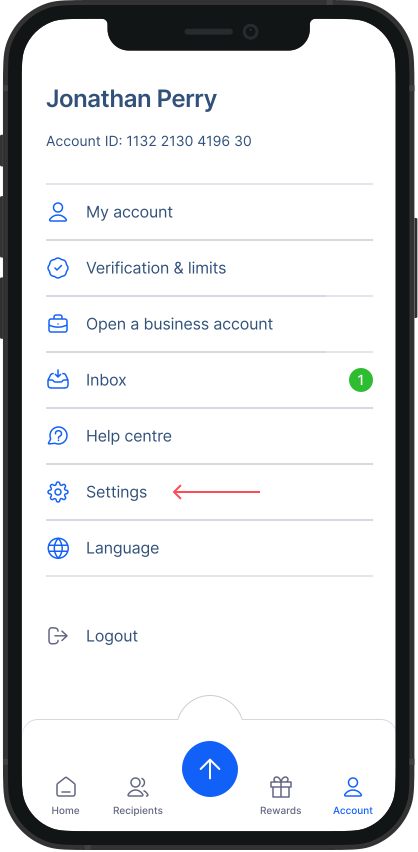
- Go to Payment Preferences: From the Settings menu, tap on "Payment Preference."
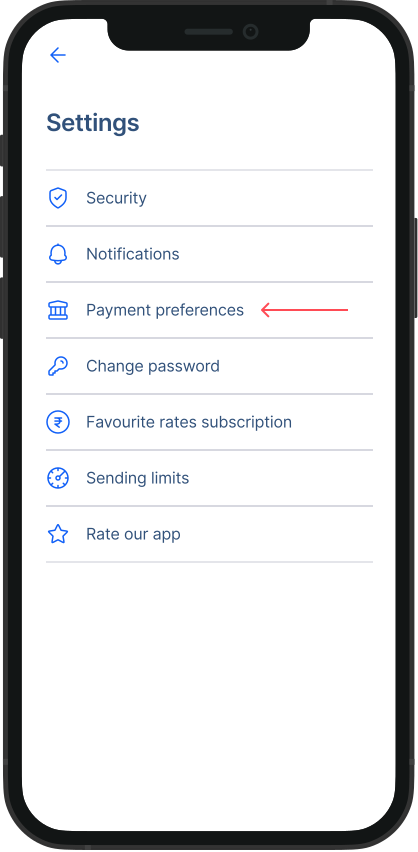
- Go to Manage your cards section: Tap on “Edit” button on the card that you wish to update information for.
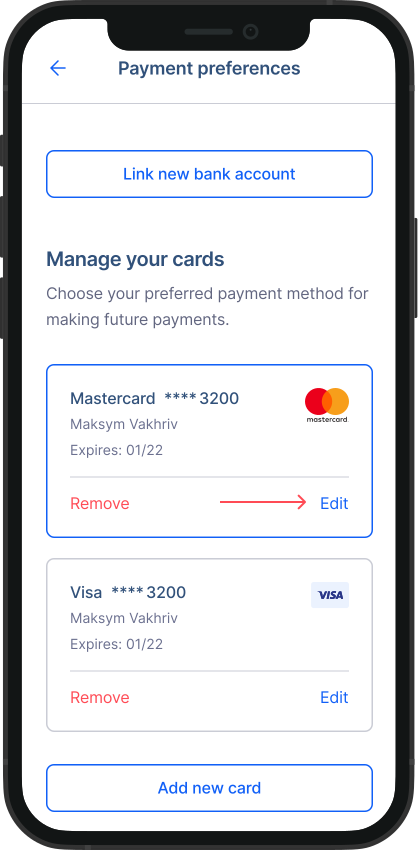
- Update your card’s details: You can easily update your card information by tapping on the relevant input field to make changes. Keep in mind that some fields cannot be edited directly; if needed, you can remove the card and re-add it with the updated details. Once you've made the necessary changes, simply click on "save" to confirm.
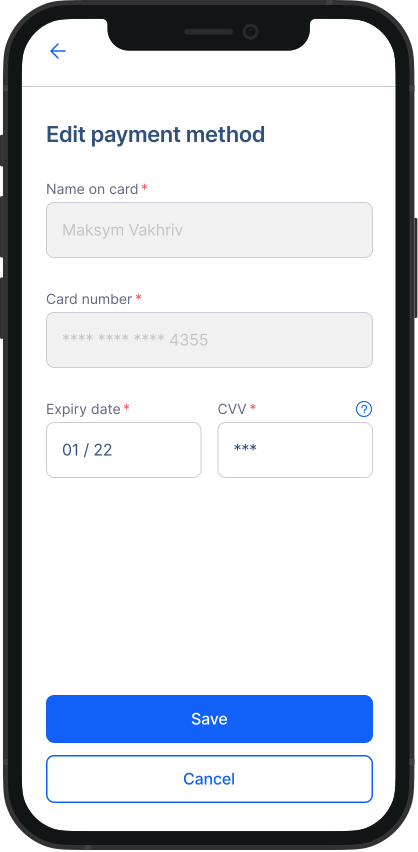
That's it! Your card will be successfully updated. Please note, that you can also update your card’s information during your Money transfer or during your transactions for gift cards, mobile top-ups and international bill payments.