How to set favourite rates subscription?
Setting up favourite rates subscription on RemitBee is a straightforward process. Here's a simple guide to help you do it:
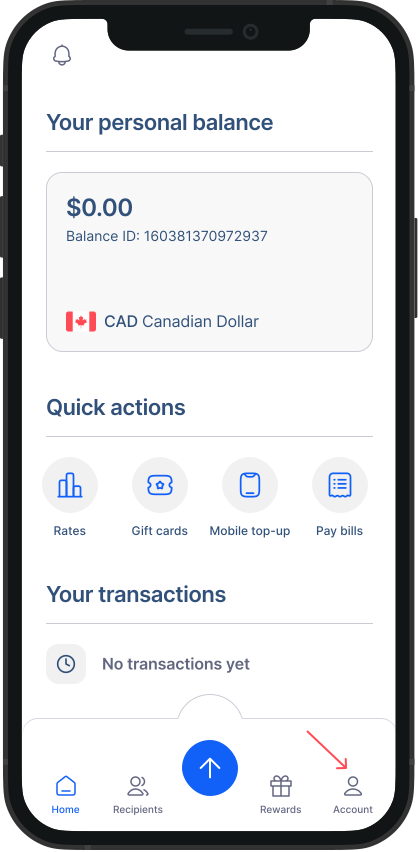
- Go to Accounts: Tap on the "Account" button from your homescreen to access your account settings.
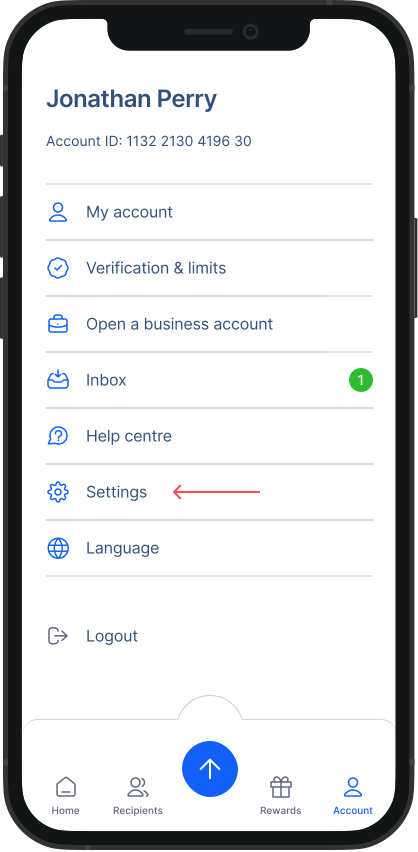
- Go to Settings: Within the Accounts screen, tap on the "Settings" option from the list.
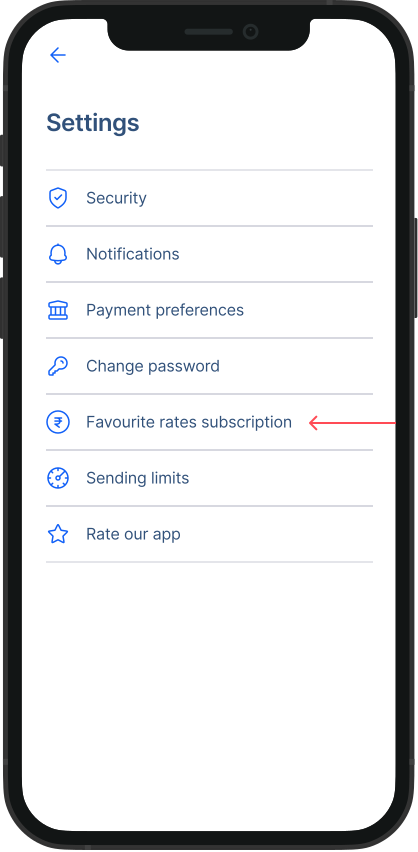
- Select “Favourite rates subscription”: Within the Settings screen, tap on the "Favourite rates subscription" option from the menu.
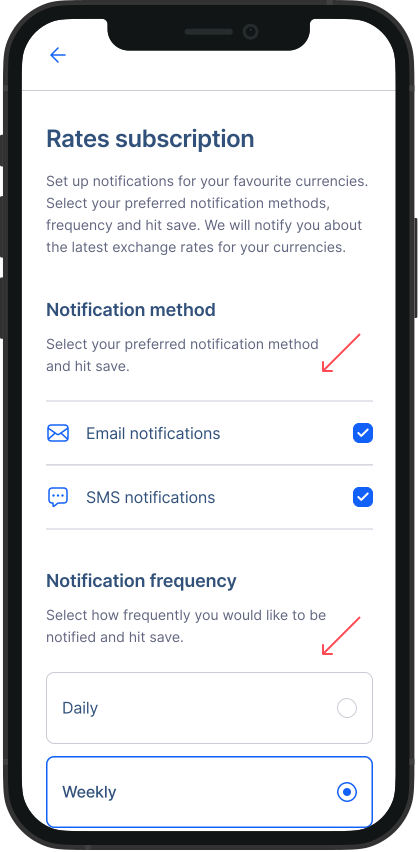
- Customize your preferences: Check the box next to Notification method based on your needs. You can also adjust how often you wish to receive notifications for rates from the Frequency section. when you are done customizing, scroll down and hit “Save preferences” With these simple steps, you can easily set up Rate subscription.