How to remove EFT account?
Removing your bank account for direct withdrawal on RemitBee is a simple process. Here's a quick guide to help you get it done:
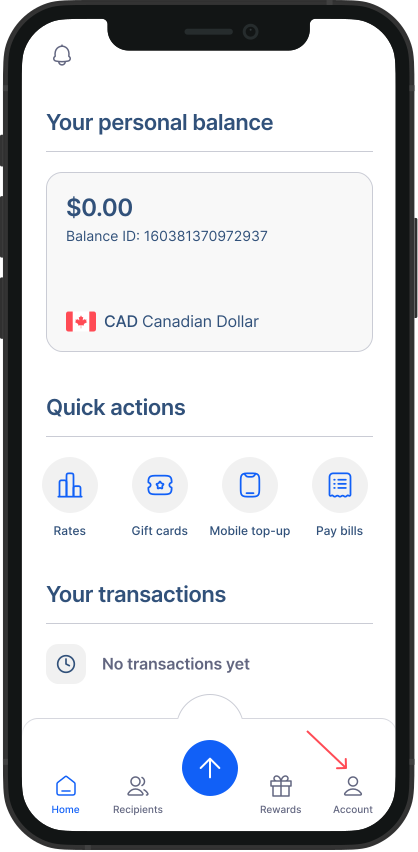
- Go to Accounts from Home Screen: Tap on "Accounts" to access your account settings.
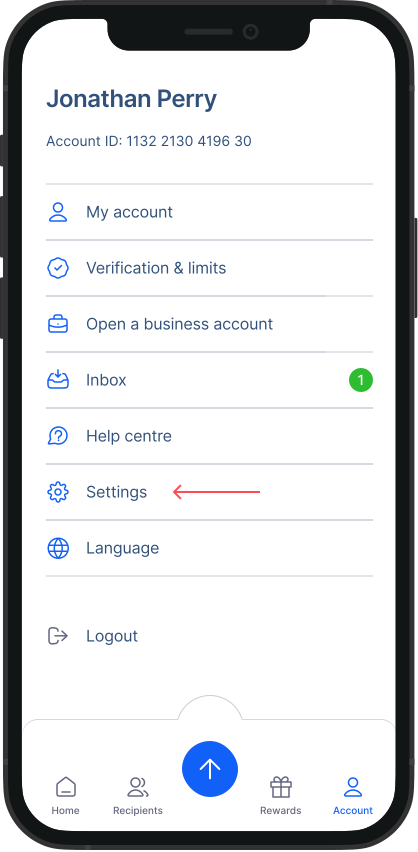
- Go to Settings: Within the Accounts screen, tap on "Settings."
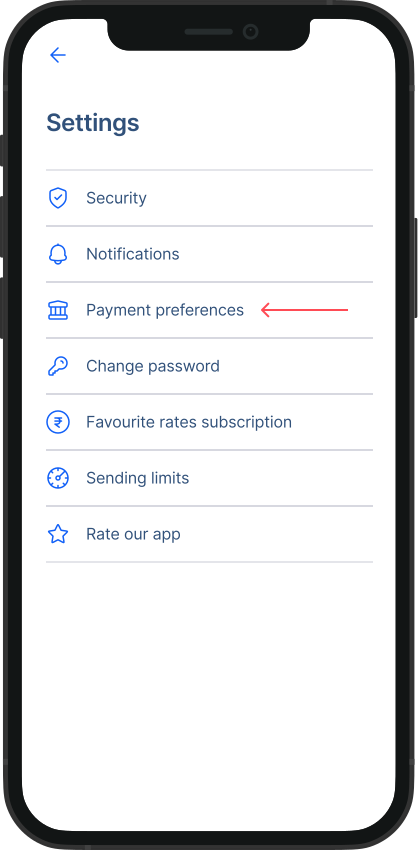
- Go to Payment Preferences: From the Settings menu, tap on "Payment Preference."
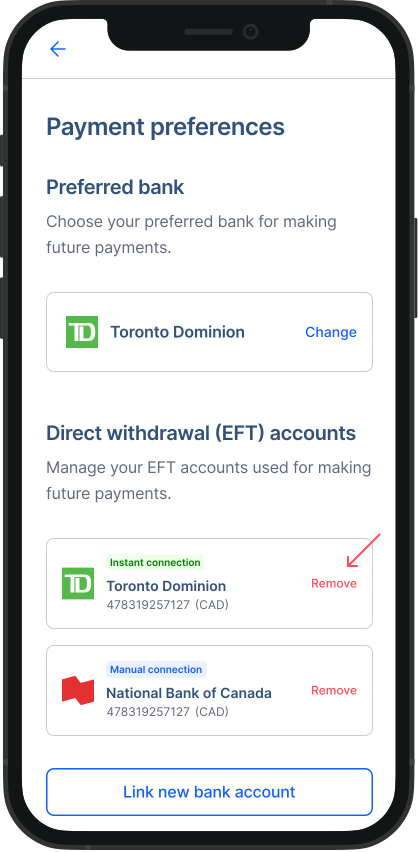
- Access Direct withdrawal (EFT) accounts: Under Payment Preferences, tap on "Remove" button next to the account you wish to remove.
That's it! You've now connected your bank account for direct withdrawal on RemitBee. Enjoy the convenience of seamless transactions with this easy setup.