How to remove a saved card?
Removing a saved card is a straightforward process. Follow these simple steps:
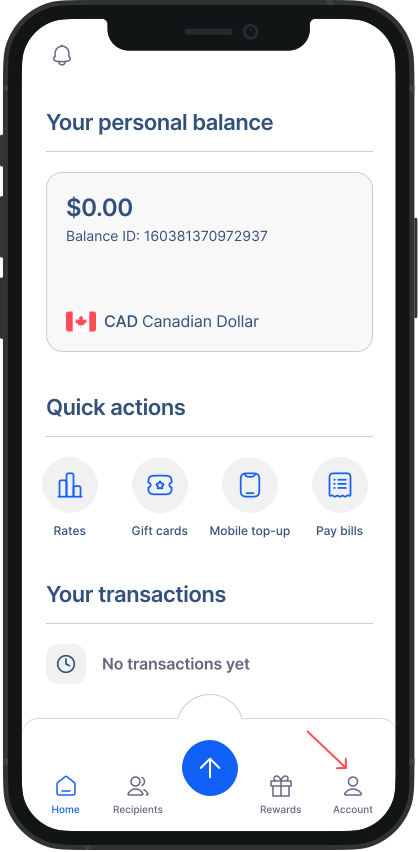
- Go to Accounts from Home Screen: Tap on "Accounts" to access your account settings.
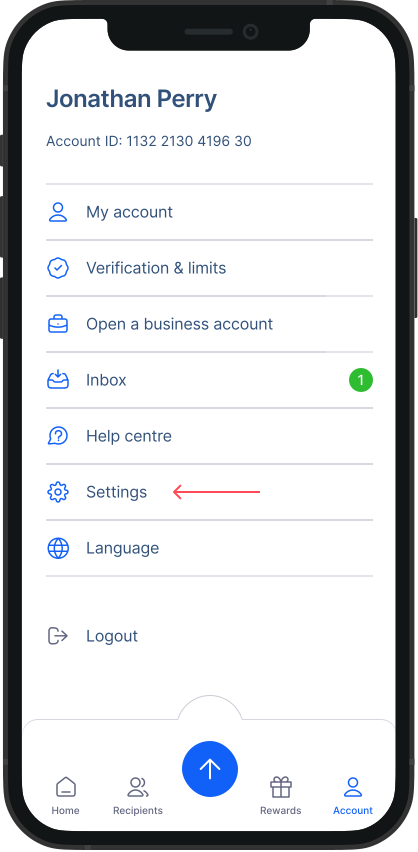
- Go to Settings: Within the Accounts screen, tap on "Settings."
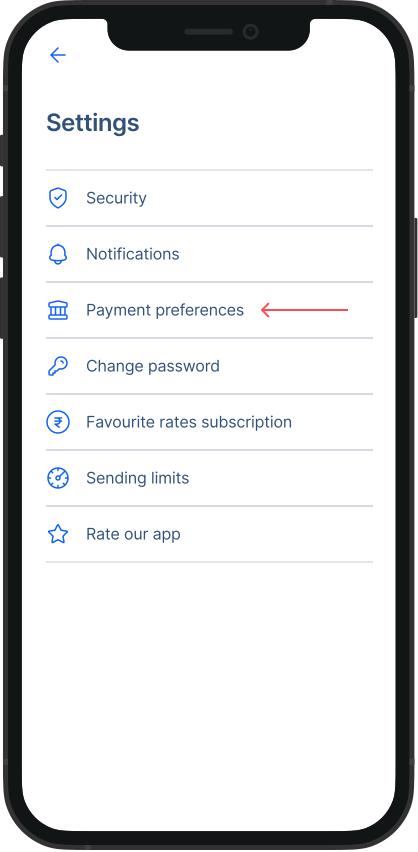
- Go to Payment Preferences: From the Settings menu, tap on "Payment Preference."
- Go to Manage your cards section: Tap on “Remove” next to the card which you want to remove
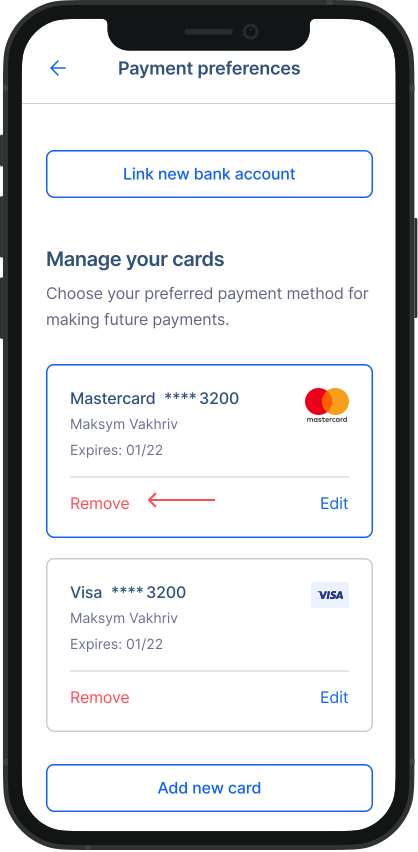
That's it! Your card will be successfully removed from RemitBee.