How to edit my personal information?
To change your personal information in RemitBee, here’s what you need to know:
If your account isn't verified yet
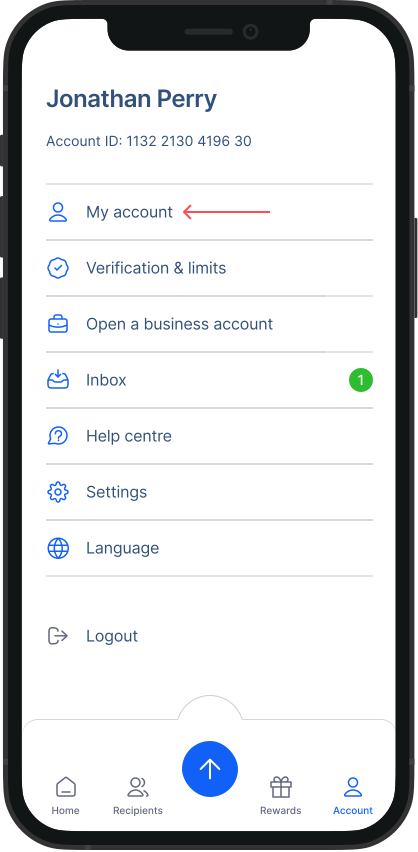
Go to account:
- For mobile: Start by tapping on the Account button located in the bottom menu.
- For Desktop: Click on Account button located at the top right corner of your Dashboard screen. Look for your name and a drop-down arrow to easily locate it.

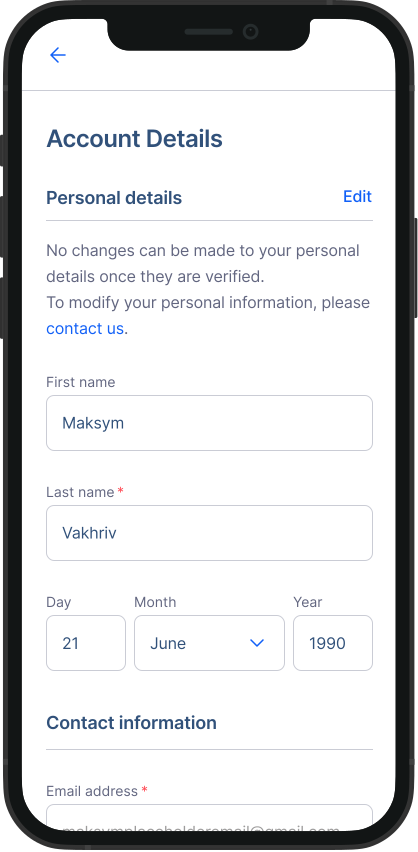
- Select My account: Here, you can modify your address, occupation, and date of birth (DOB) as needed. Scroll down and click on “Save changes” button.
For verified accounts
After your account gets verified, you’ll need our help to make any changes. You can only edit your Occupation.
Reach out to us: Please contact our customer support team for assistance in updating your verified account information.
This way, you can keep your RemitBee account information up to date, whether before or after verification.