How to connect EFT bank account?
Connecting your bank account for direct withdrawal on RemitBee is a simple process. Here's a quick guide to help you get it done:
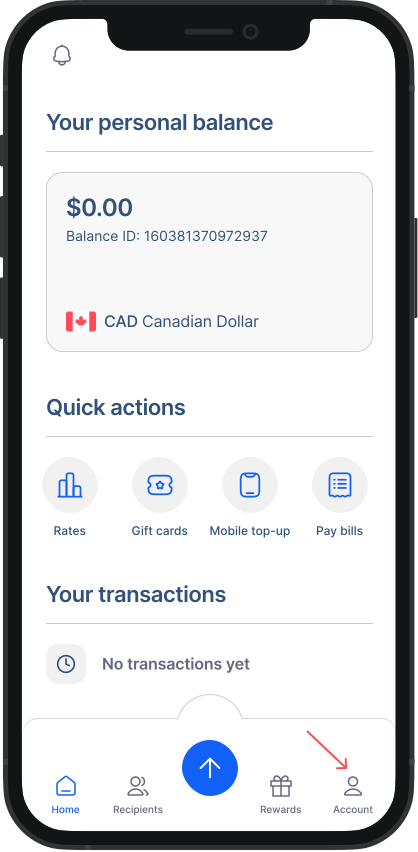
- Go to Accounts from Home Screen: Tap on "Accounts" to access your account settings.
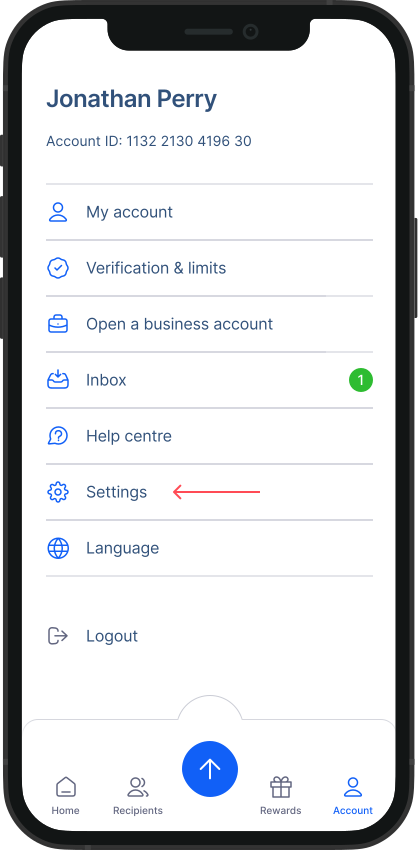
- Go to Settings: Within the Accounts screen, tap on "Settings."
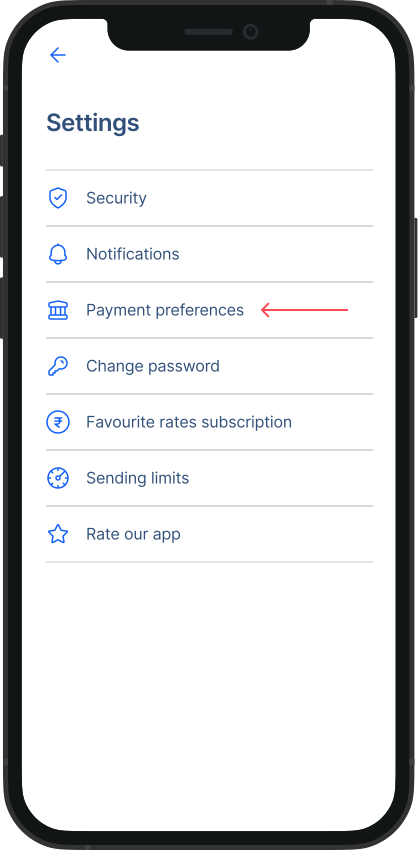
- Go to Payment Preferences: From the Settings menu, tap on "Payment Preference."
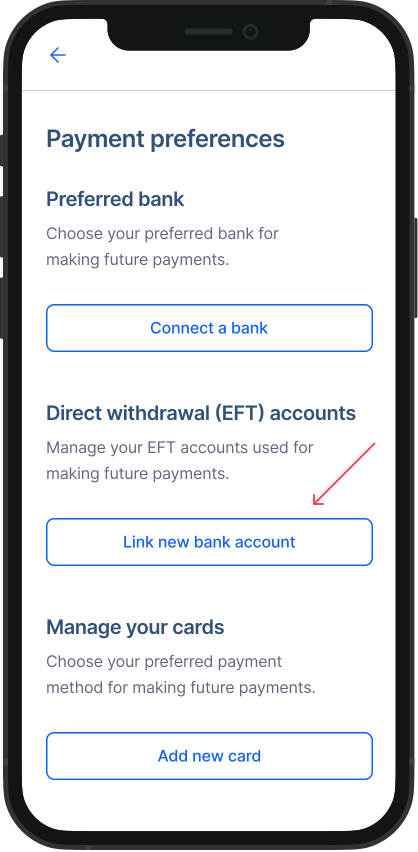
- Access Direct withdrawal (EFT) accounts: Under Payment Preferences, tap on "Link new bank account" button located under "Direct Withdrawal (EFT) Accounts."
- Choose your bank: You'll see a list of banks presented on the screen. Select the bank account you wish to connect to RemitBee.
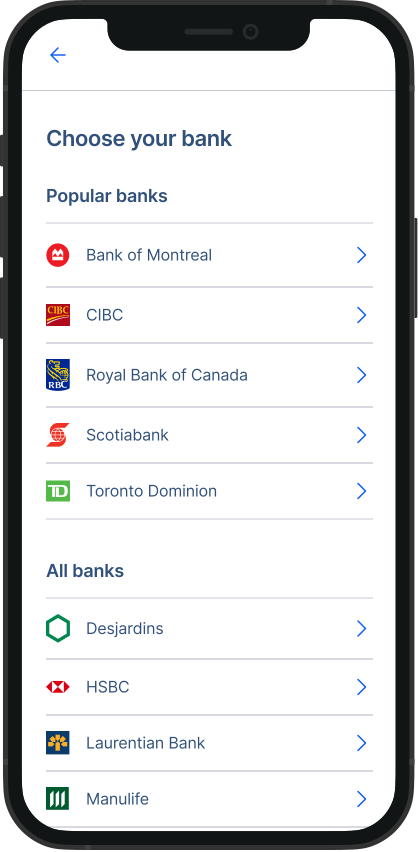
- Complete bank authentication: Follow the on-screen instructions to complete the bank authentication process. Once authentication is completed, your bank account will be successfully connected for direct withdrawal.
That's it! You've now connected your bank account for direct withdrawal on RemitBee. Enjoy the convenience of seamless transactions with this easy setup.
Please note
EFT accounts can also be easily connect during your Money Transfer, Currency Exchange or while depositing funds to your Remitbee Balance.