How to change language?
Changing the language on RemitBee is a straightforward process. Here's a simple guide to help you do it:
Changing language from Mobile
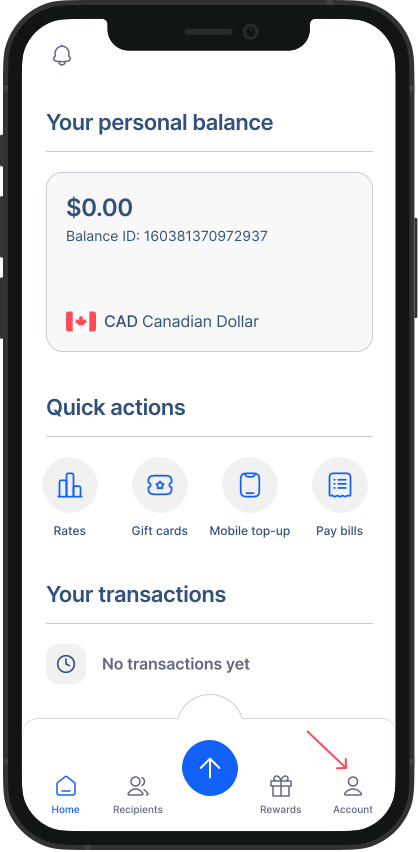
- Go to Accounts: Tap on the "Account" button from your home screen to access your account settings.
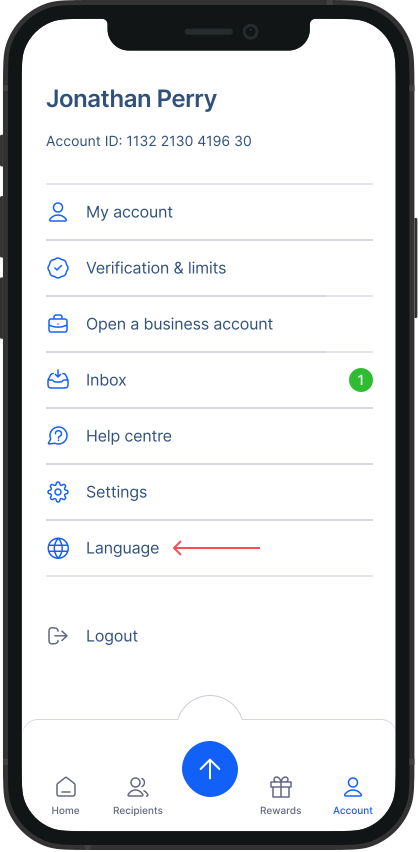
- Go to Language: Within the Accounts screen, click on the "Language" option from the list.
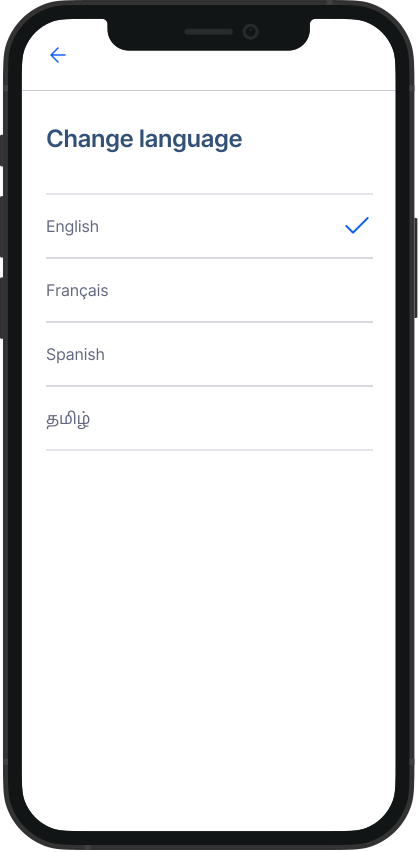
- Choose Your Preferred Language: You'll be presented with a list of available languages. Simply select the language you prefer from the options provided.
Changing language from Desktop
Go to Dashboard: Click on the globe icon on the top bar of the screen.
Select Language: A dropdown will appear, select your preferred language from it.
With these simple steps, you can customise your RemitBee experience by changing the language to suit your preferences.