How to add a new card?
Adding a new card is a breeze. Just follow these simple steps:
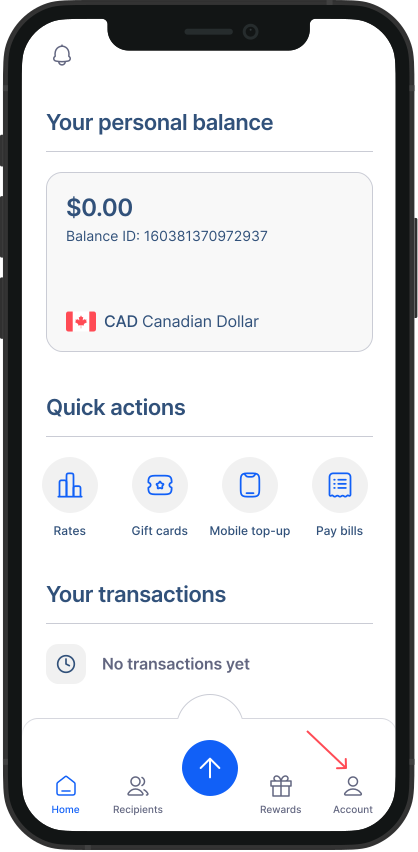
- Go to Accounts from Home Screen: Tap on "Accounts" to access your account settings.
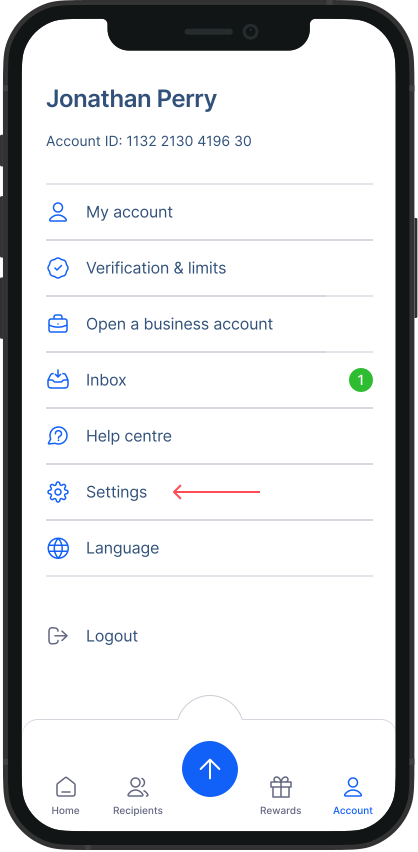
- Go to Settings: Within the Accounts screen, tap on "Settings."
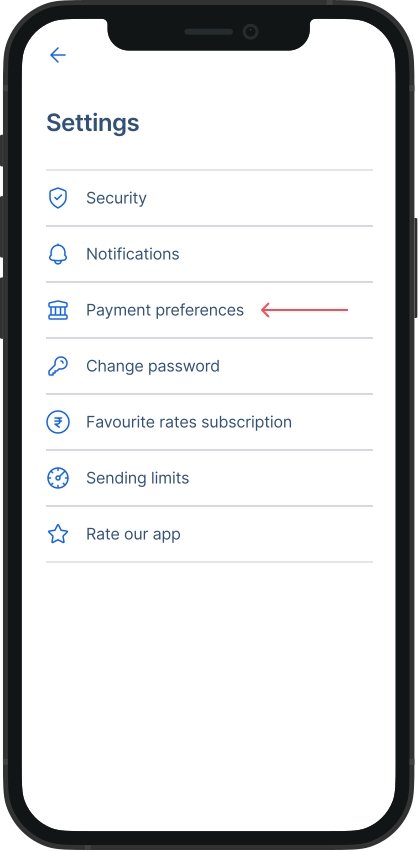
- Go to Payment Preferences: From the Settings menu, tap on "Payment Preference."
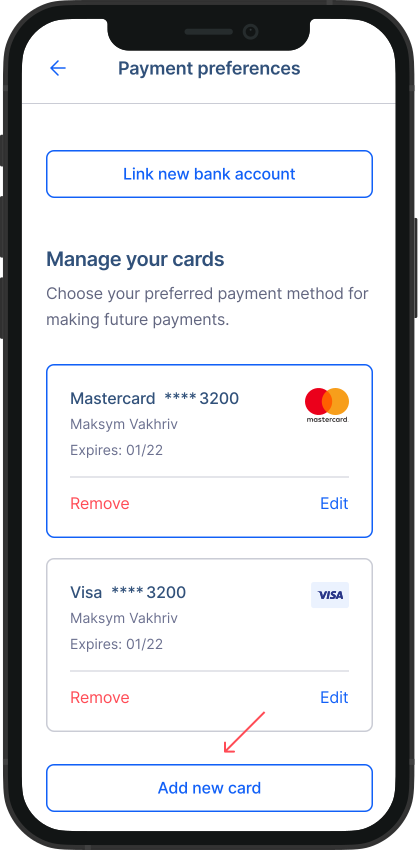
- Go to Manage your cards section: Tap on “Add new card”.
- Add your card’s details: As prompted, fill out your card’s information in the input fields on the screen.
That's it! Your card will be successfully added making your transactions even more convenient. Please note
You can add a new card during your Money transfer or during your transactions for gift cards, mobile top-ups and international bill payments