How to purchase an eSIM with RemitBee?
Purchasing an eSIM through RemitBee is a straightforward and convenient process. Just follow these steps to get started:
Access the eSIM Feature:
- Open the RemitBee app and tap on the eSIM feature under "Quick Actions" on the Home screen.
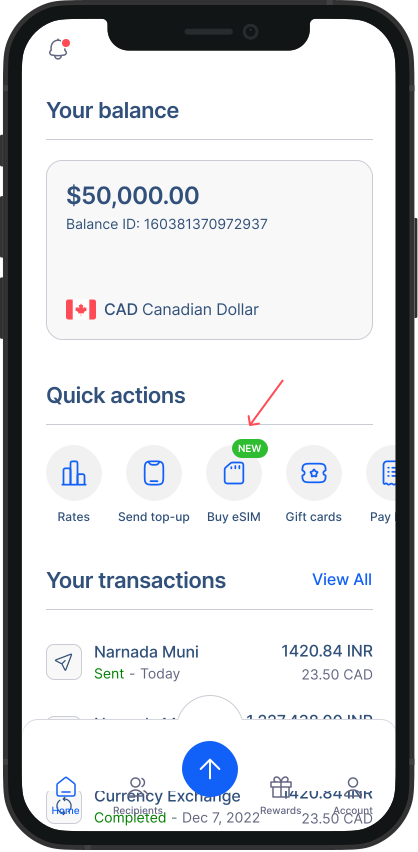
Check Device Compatibility:
If you are using RemitBee App, click on the “Check Compatibility” button to see if your device supports eSIM. If your device is compatible, you’ll see a confirmation screen.
You can also view the full list of compatible devices by clicking on the “See all compatible devices” link.
Click “Continue” to proceed. If your device isn’t compatible, you can still purchase an eSIM for someone else.
Select Your Destination:
- Choose from three different plan types based on your needs: Local, Regional, or Global. Select Your Destination:
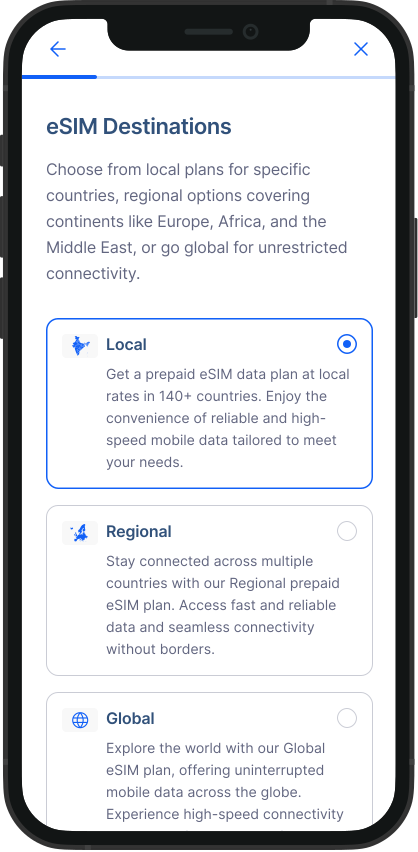
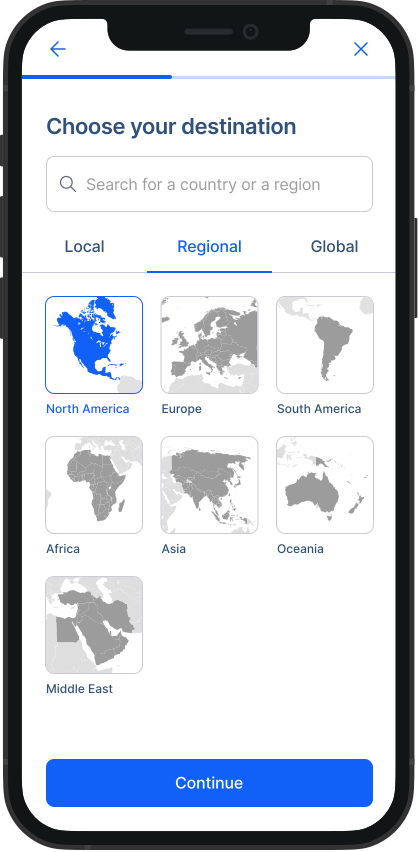
Choose a Plan:
- Select the eSIM plan that best suits your needs from the available options.
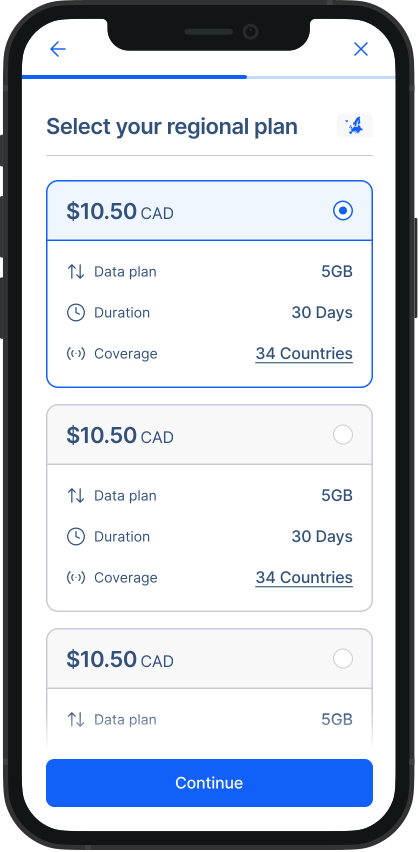
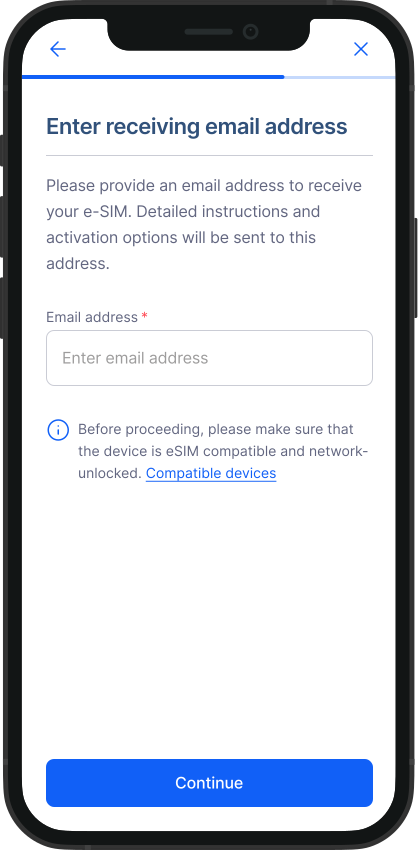
Enter Your Email Address:
- Your eSIM, along with activation instructions, will be sent to the email address you provide.
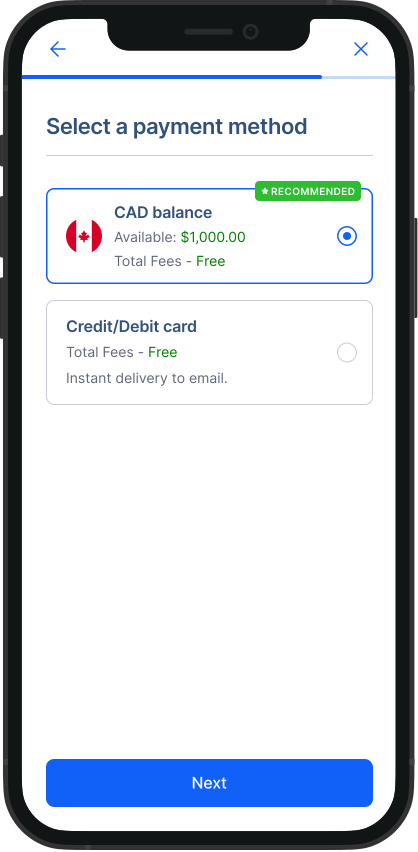
Make Payment:
- Choose your preferred payment method to complete the purchase.
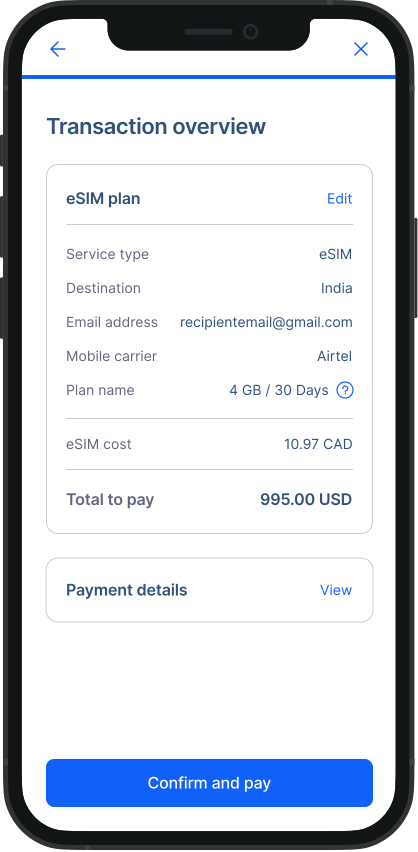
Review Your Purchase:
- Carefully review the details of your selected eSIM plan and the payment information. Once everything looks good, proceed to complete your purchase.
Receive and Activate Your eSIM:
- After a successful payment, your eSIM will be delivered to your email along with detailed instructions on how to activate it.
Need Help? If you encounter any issues during the purchase process, don’t hesitate to contact RemitBee’s support team for assistance
Check out this video to get more guidance on how to install our esim in your android phone
This simple and user-friendly process ensures that you can quickly and easily get an eSIM through RemitBee, making staying connected more convenient than ever.