1. Help centre
  2. Getting started
  3. How to upload an ID for verification

How to upload an ID for verification

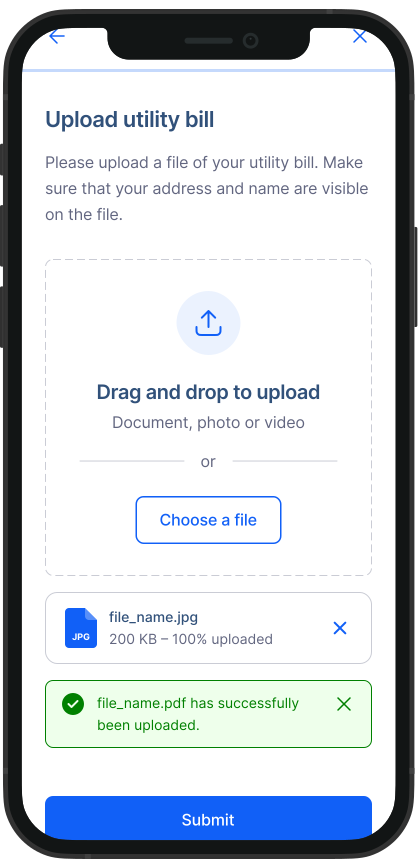
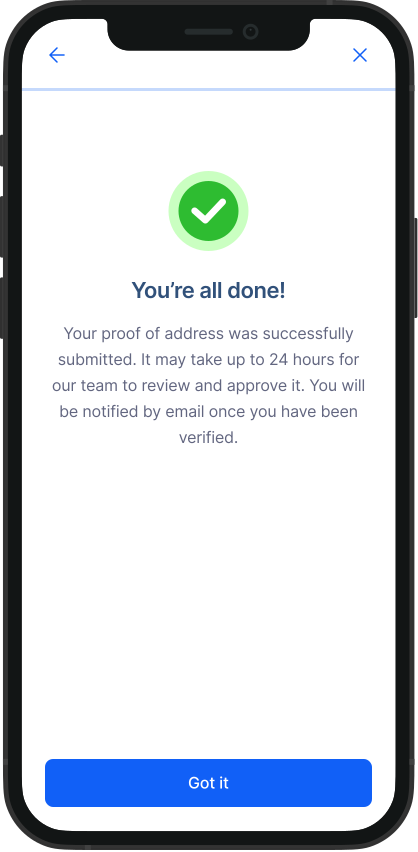
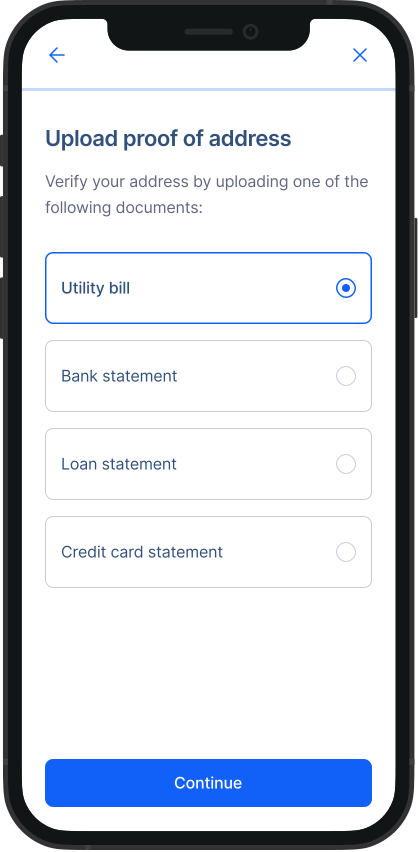
Follow these simple steps to upload your ID for verification.

ID verfication 1.svg ID verification 2.svg ID verification 3.svg ID verfication 4.svg

Was this article helpful?
Browse related articles
Where to find RemitBee Tax and your tax returns
What Payment Methods are Available for Money Transfer?
Can't log into your RemitBee account
What services does RemitBee offer
Can I open a Business account with RemitBee
Company
  • About RemitBee
  • Security
  • Blog
  • News
  • Business perks
  • Careers
Products & tools
  • RemitBee Balance
  • Currency exchange
  • Business accounts
  • Mobile top-up
  • RemitBee eSIM
  • IBAN calculator
Currency Converter
  • CAD to INR
  • CAD to PHP
  • CAD to BDT
  • CAD to MXN
  • CAD to LKR
  • CAD to PKR
  • CAD to USD
Transfer money
  • Send money to India
  • Send money to Sri Lanka
  • Send money to Philippines
  • Send money to Bangladesh
  • Send money to Ukraine
  • Send money to Mexico
  • Send money to Nigeria
Help and support
  • Help Centre
  • How to pay
  • Our fees
  • Contact us
Legal
  • Privacy policy
  • Terms & conditions
  • Transaction Guarantee Policy
QR code
Scan to get our app
App Store Download Banner Icon
review-starts
4.6
Play Store Download Banner Icon
review-starts
4.6

© 2026 RemitBee Inc. All Rights Reserved.
  • Facebook logo
  • X logo
  • Instagram logo
  • LinkedIn logo
  • TikTok logo